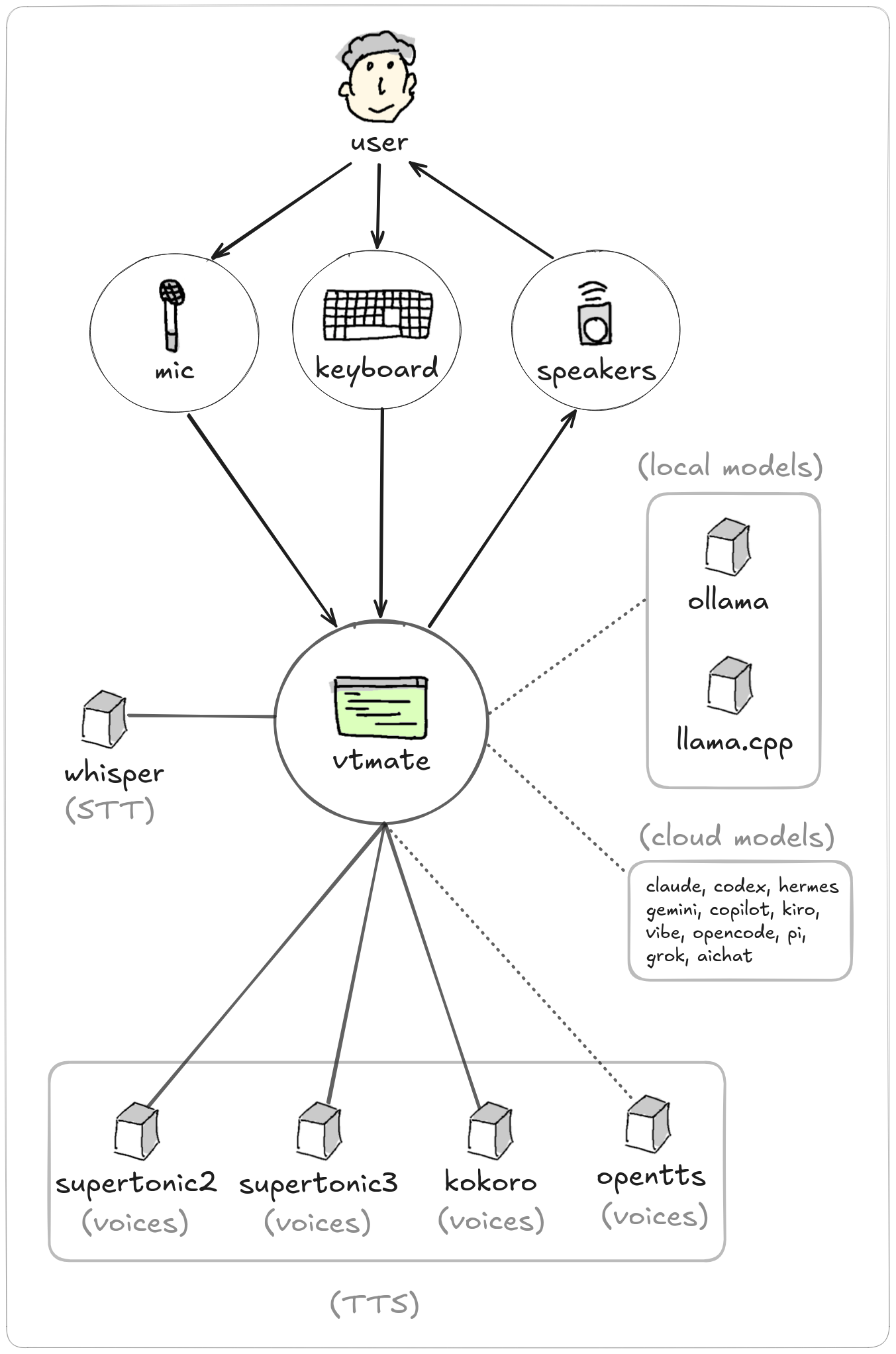
1. Listen
You start the program and start talking. In LIVE mode, recording starts
once audio crosses the sound_threshold_peak level. In PTT
(push-to-talk, the default) mode, recording is simply whatever is captured while
SPACE is held down.
2. Transcribe (STT)
As soon as there is a period of silence at or below sound_threshold_peak
lasting end_silence_ms, the recorded audio is transcribed with the
integrated whisper engine. In PTT mode this setting is ignored -
transcription happens the moment SPACE is released.
3. Think (LLM)
The transcribed text is sent to the agent's model - a local server (ollama,
llama-server, any OpenAI-compatible endpoint), a hosted API (OpenAI, Anthropic,
Google, Groq, Mistral, OpenRouter, DeepSeek, xAI), or a logged-in subscription CLI
(Claude Code, Codex, Gemini CLI, and others). Thinking/reasoning is disabled on
local servers so replies start speaking right away. See
Agent fields & providers for the full list.
4. Speak (TTS)
The model's text reply is converted to audio with the agent's configured
tts engine (Supertonic 3 by default, or Supertonic 2, Kokoro or
OpenTTS) and played back. Code fenced in ``` blocks is shown on screen but never
spoken.
Interrupting and debating
You can interrupt the agent at any moment by speaking again (or pressing
ESCAPE): playback and the in-flight response stop, and
you can keep talking. In debate mode,
two agents reply to each other automatically, playing the audio for each turn, and
you can join the conversation by speaking at any time.